
Downloads, handled.
Files, videos and torrents.
Tuggy is a simple download manager for Mac. It catches links from your browser, takes torrents dropped on the notch, saves videos in the quality you pick, and files everything into the right folder.
Version 1.0.0 · macOS 14 or later
One app for everything you download.
Regular files, videos, torrents and magnet links, in one tidy list.
Click a link. Tuggy takes it from there.
Tuggy catches downloads from Safari, Chrome, Edge, Brave and Arc, so big files skip the browser and go straight to a download manager that can pause, resume and speed them up. Copied a link? Tuggy can pick it up from the clipboard too.
⌃⌥D download the link you copied
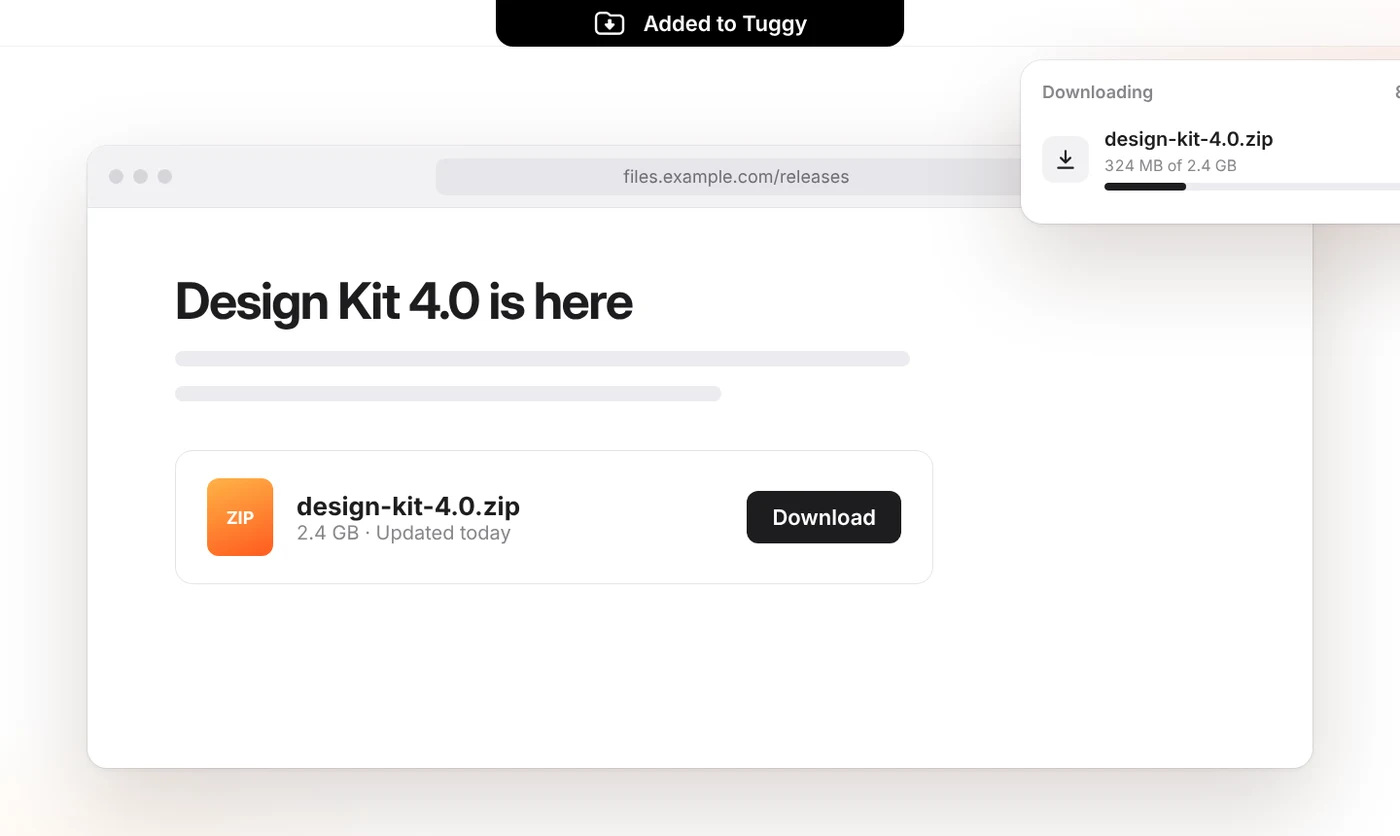
Smart speed. Pause now, resume later.
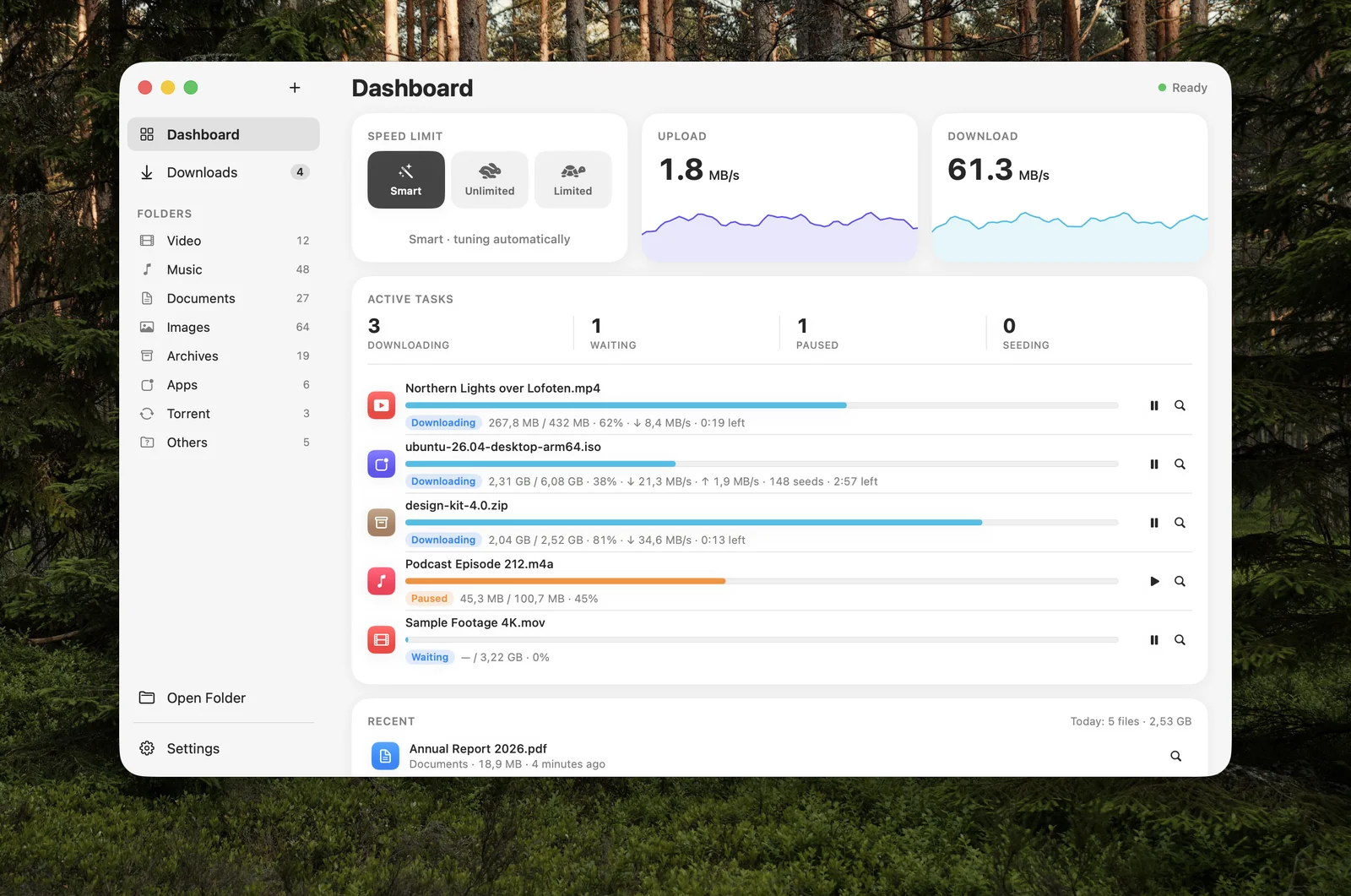
The Dashboard shows what is downloading and how fast. Smart speed tunes connections to make the most of your bandwidth while keeping the rest of your Mac online. Pause anything, quit, restart — unfinished downloads continue where they stopped.
Drop it on the notch.
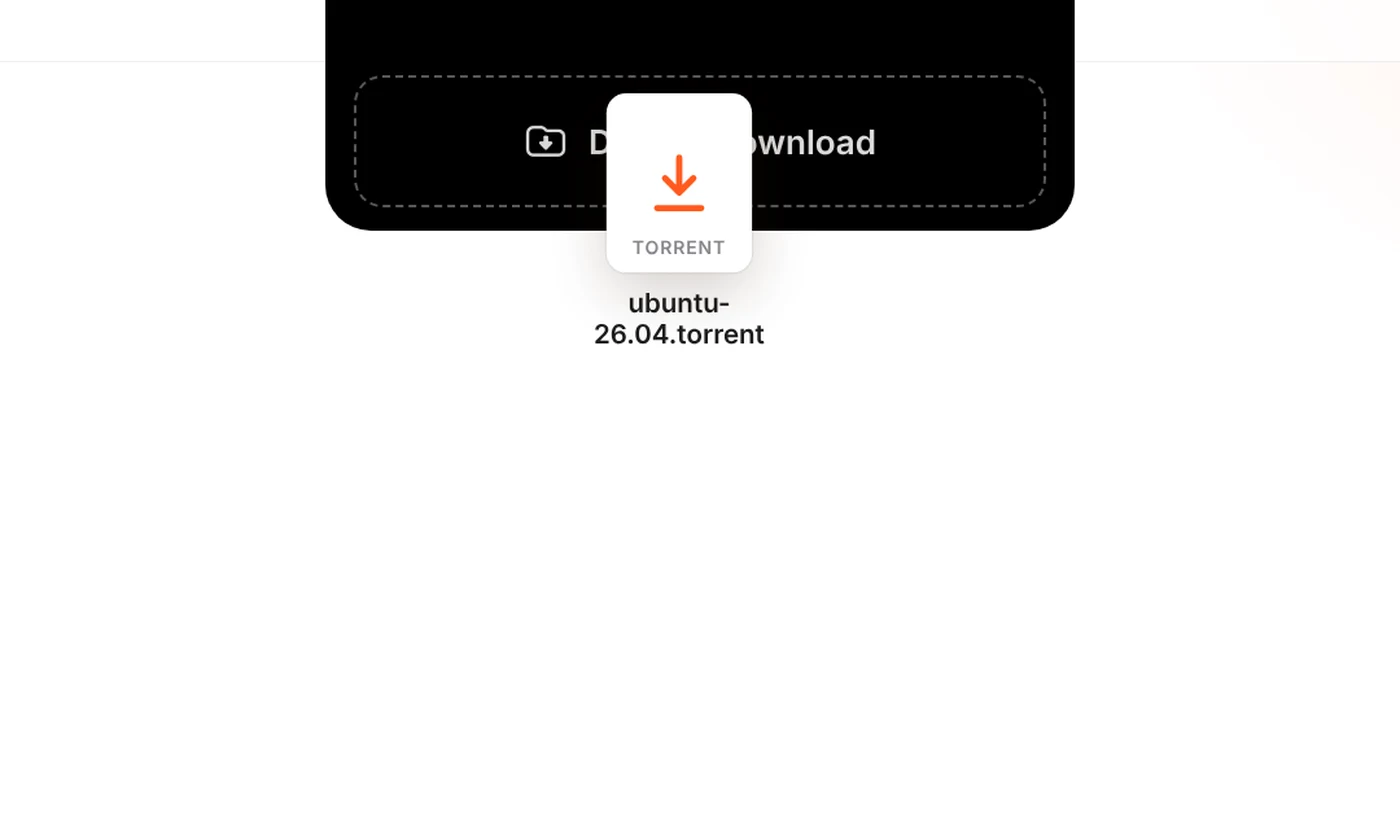
Drag a torrent file or a link up to your MacBook's notch and let go. Tuggy opens a drop zone, starts the download and shows its progress right there. Torrents and magnet links work without any extra app.
One tidy list for everything.
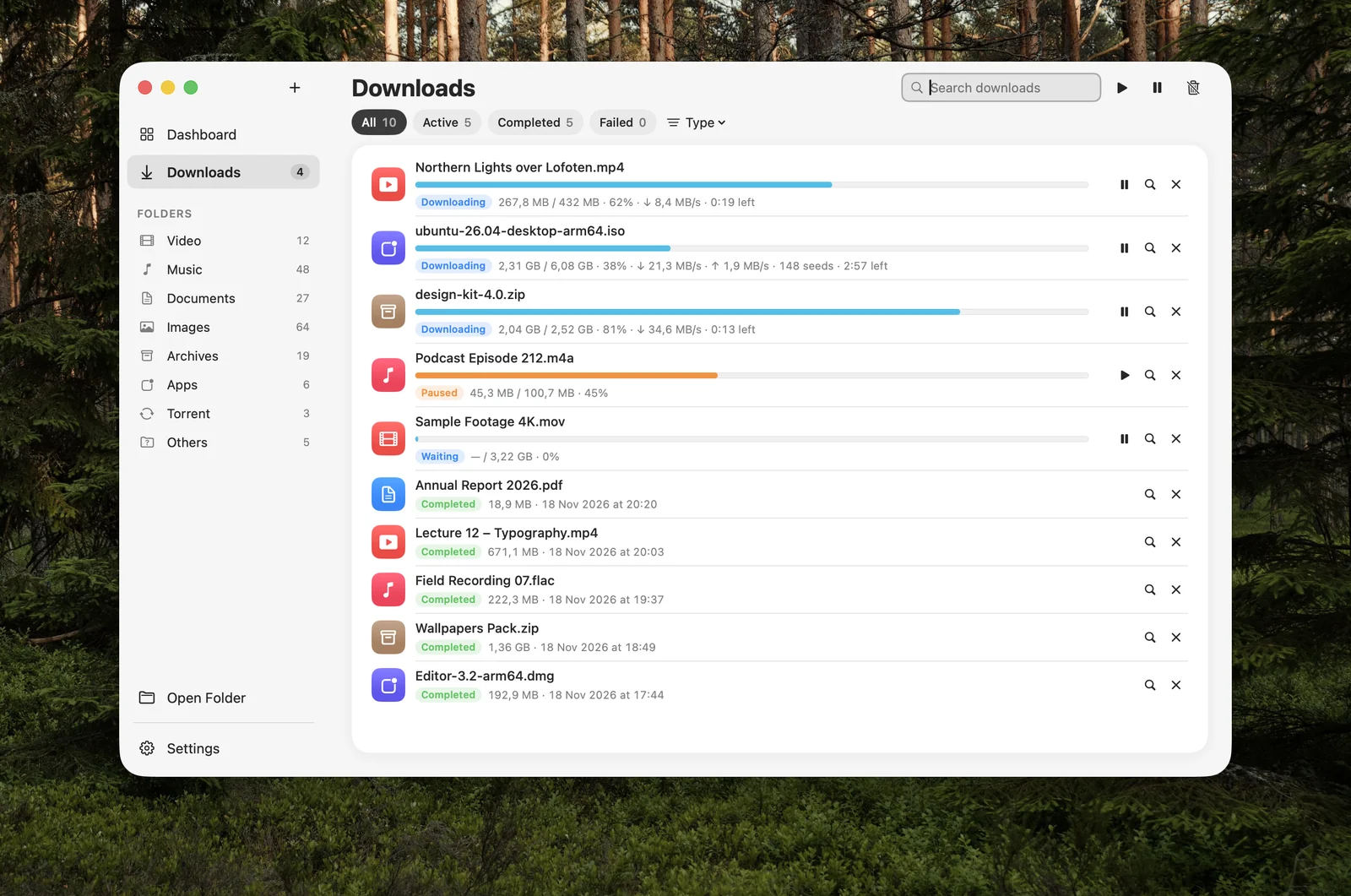
Files, videos and torrents share one list you can filter and search. When a download finishes, Tuggy files it into its own folder inside Documents › Tuggy: videos, music, documents, apps and archives.
Videos, in the quality you pick.
Paste a video link and choose: up to 4K, a smaller file, or audio only. Tuggy saves it as a regular file you can keep and play offline.
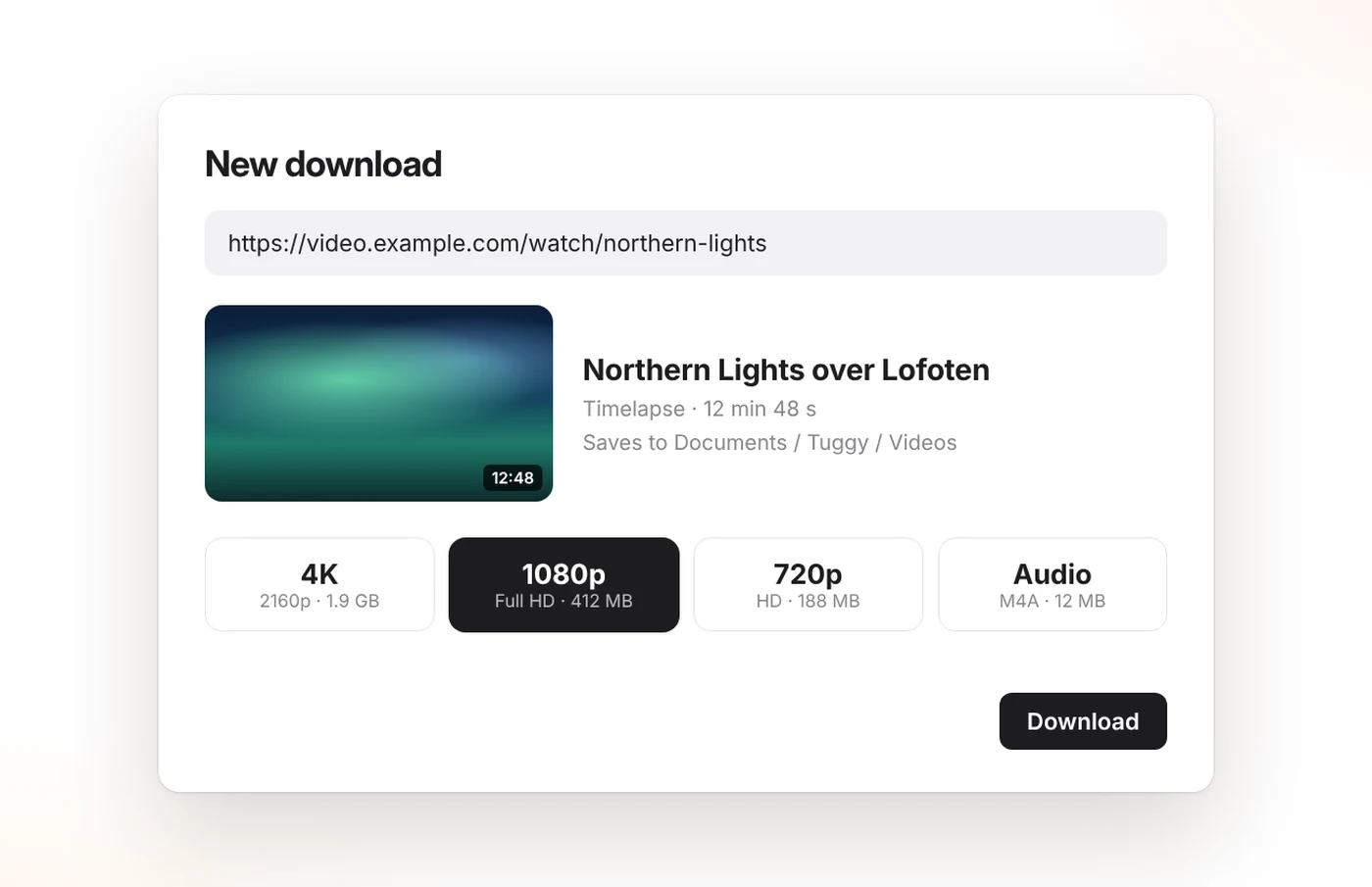
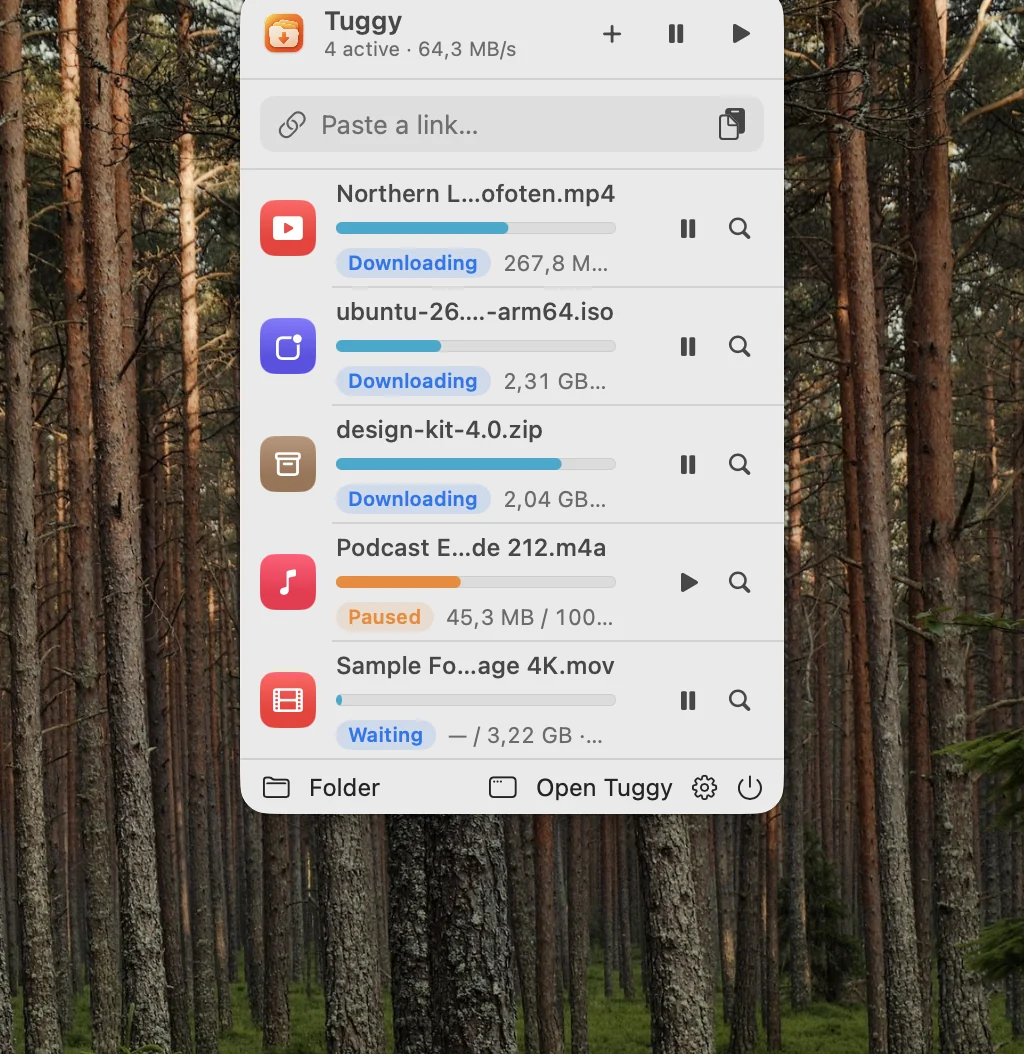
Always one click away.
Tuggy lives in your menu bar. A compact panel shows what is downloading, lets you paste a new link, and pauses or resumes everything at once.
Simple on the surface. Capable underneath.
Made for people who just want their downloads to work.
Lives in your menu bar
A compact panel shows what's downloading. No Dock icon needed, no window in your way.
Small download, quick start
Tuggy itself is a few megabytes. Video tools are optional and installed only when you ask for them.
Schedule and limits
Download only during the hours you choose, cap the speed, or let Smart speed decide.
Finishes the job
Unpack archives automatically, verify checksums, then sleep or quit when everything is done.
Batch links
Paste many links at once, or a pattern like file[01-50].zip, and Tuggy queues them all.
Private by design
No account, no analytics, no ads. Downloads go straight from the source to your Mac.
Free for files. Pro for $3.99.
One-time purchase. No subscription. Free updates.
Tuggy
- Fast, multi-connection file downloads
- Catches links from your browser and clipboard
- Smart speed, schedule, pause & resume
- Automatic folders, batch links, checksums
- No account, no card
- Videos, torrents and magnet links
Tuggy Pro · 1 Mac
- Everything in Tuggy
- Videos, up to 4K or audio only
- Torrents and magnet links
- Drop torrents on the notch
- Free updates
Tuggy Pro · 3 Macs
- Everything in Tuggy Pro
- Use on up to 3 Macs at once
- Move licenses between Macs anytime
- Free updates
Secure checkout by Paddle, our reseller and Merchant of Record · Prices in USD, local taxes may apply
30-day money-back guarantee · Terms · Privacy · Questions? info@superpigstudio.com
Questions & answers
Is Tuggy free?
Yes. Downloading regular files is free forever, with browser capture, Smart speed, pause and resume, and automatic folders. Tuggy Pro adds videos, torrents and magnet links. Every new install includes Pro for 14 days; after that Pro is a one-time $3.99 (1 Mac) or $6.99 (3 Macs).
What happens when the Pro trial ends?
Nothing breaks. Tuggy keeps downloading regular files for free, and everything you already downloaded stays where it is. Unfinished videos and torrents are paused until you activate Pro.
Is Tuggy Pro a subscription?
No. You pay once and keep Pro, including all future updates.
Which Macs are supported?
macOS 14 Sonoma or later. The notch drop zone needs a MacBook with a notch; on other Macs you can drop links and torrent files on Tuggy's menu bar icon instead.
Which browsers does Tuggy work with?
Safari, through the extension built into Tuggy, and Chrome, Edge, Brave and Arc through the Tuggy browser extension. You can also copy a link and let Tuggy pick it up from the clipboard, or press ⌃⌥D anywhere.
Do I need another app for torrents?
No. With Tuggy Pro, torrent files and magnet links download in the same list as the rest of your downloads.
Which video sites are supported?
Tuggy uses the open-source yt-dlp engine, which supports hundreds of video sites. Video downloads are part of Tuggy Pro, and video support is an optional component that Tuggy installs the first time you need it. Tuggy does not remove copy protection (DRM), and you are responsible for having the right to download what you save.
Can I resume a download after quitting or restarting?
Yes. Tuggy remembers unfinished downloads and picks them up where they stopped, as long as the server supports it. Torrents are checked and continued automatically.
Does Tuggy collect my data?
No. There is no account, no analytics and no ads in the app. Your downloads go directly from the source to your Mac. See our Privacy Policy.
How do I activate Tuggy Pro?
After checkout your license key arrives by email. Click the activation link in the email, or open Tuggy → Settings → License & Updates and paste the key.
I'm getting a new Mac. Can I move my license?
Yes. On the old Mac choose Settings → License & Updates → Deactivate on This Mac, then enter the key on the new one. If the old Mac is lost or erased, email info@superpigstudio.com and we'll free the seat.
What if Tuggy isn't right for me?
Email us within 30 days of purchase for a full refund. See our Refund Policy.
Try Tuggy today.
Free download. Includes Tuggy Pro for 14 days.
Download for Mac — FreeVersion 1.0.0 · macOS 14 or later